Creating a great home office doesn’t have to be complicated. Here are the main things to remember to get your workspace set up right:
Key Takeaways
- Pick the right spot for your office, thinking about light and quiet.
- Get a comfy, supportive chair and a desk that fits your work style.
- Make sure your internet is fast and reliable.
- Good lighting makes a big difference for focus and mood.
- Add personal touches to make the space inspiring and yours.
Choosing the Right Space for Your Home Office
Finding the perfect spot for your home office is more than just picking an empty corner. It’s about creating a functional zone that supports your work and well-being. Let’s break down how to pick the best location.
Dedicated Room vs. Multi-purpose Area
Ideally, a dedicated room offers the most privacy and focus. This could be an extra bedroom, a converted attic, or even a finished basement. Having a space solely for work helps create a mental separation between your professional and personal life, which is a big plus for many. However, not everyone has the luxury of a spare room. In such cases, a multi-purpose area can work wonders. Think about a corner of your living room, a section of a guest room, or even a large closet. The key here is smart organization and clear boundaries. You might use room dividers or specific furniture arrangements to define your workspace. Remember, even a small landing can become a functional office if planned right. It’s all about making the space work for you.
Assessing Natural Light and Ventilation
Good natural light and fresh air can make a huge difference in your productivity and mood. When scouting locations, pay attention to windows. A desk placed near a window not only provides natural light, reducing eye strain, but can also offer a pleasant view to rest your eyes on during breaks. If you can position your desk to face a window, great! If not, consider what you’ll be looking at. Even a wall with inspiring art can be better than a blank wall. Ventilation is also important. A stuffy room can make you feel sluggish. If your chosen spot doesn’t get much airflow, consider a small fan or opening windows regularly. Making sure your workspace is comfortable temperature-wise is a big part of [tips for organizing a home office] that often gets overlooked.
When you’re setting up your workspace, think about how the light hits your computer screen. You don’t want glare making it hard to see. Also, consider what’s behind you on video calls. A tidy, pleasant background makes a better impression.
Here are a few things to consider when evaluating a space:
- Noise Levels: Is the area generally quiet, or is it in a high-traffic part of the house?
- Privacy: Can you close a door or create a sense of separation?
- Power Outlets: Are there enough accessible outlets for your equipment?
- Internet Signal: Is the Wi-Fi strong and reliable in this spot?
Choosing the right spot is the first step towards a home office that truly works for you. It might take some creativity, but a well-chosen space can significantly impact your daily work experience. For more ideas on creating a functional and stylish workspace, you might find inspiration in [modern design ideas] to enhance productivity.
Essential Furniture for Your Home Office Setup
When you’re setting up your home office, the furniture you pick really makes a difference in how you feel and how much you get done. It’s not just about filling a space; it’s about creating a functional area that supports your work. Getting the right pieces is key to achieving a functional home office layout.
The Ergonomic Desk: Your Command Center
Your desk is probably the most important piece of furniture in your home office. You’ll be spending a lot of time here, so it needs to be just right. Think about the size of your workspace and what you do there. Do you spread out papers, or do you mostly work on a laptop? A desk with a good amount of surface area is usually a safe bet. Some people like a simple, clean desk, while others prefer one with built-in drawers for storage. If you’re looking for ideas, you can find a lot of great options for home-office furniture and supplies that cover different styles and needs.
Comfortable and Supportive Office Chair
Don’t skimp on your chair. Seriously. You’re going to be sitting in it for hours, and a bad chair can lead to all sorts of aches and pains. Look for something that offers good lumbar support and is adjustable. You want to be able to sit with your feet flat on the floor and your arms resting comfortably at desk height. Trying out chairs in person is a good idea if you can. There are many places that offer comfort furniture that can also work well for an office setting.
Storage Solutions: Keeping Clutter at Bay
Clutter can really mess with your focus. Having smart storage solutions means you can keep your desk clear and your important documents organized. Filing cabinets are great for papers, and shelves can hold books, supplies, or decorative items. Even small drawers with organizers can make a big difference for things like pens and paperclips. Think about what you need to store and find furniture that fits those needs.
Good storage isn’t just about hiding things away; it’s about making sure you can find what you need quickly and easily. This saves time and reduces frustration throughout your workday.
Here are some common storage items to consider:
- Filing Cabinets: For important documents and mail.
- Bookshelves: For books, binders, and display items.
- Drawer Organizers: To keep smaller supplies tidy.
- Wall Shelves: To maximize vertical space.
Technology and Connectivity Essentials
Alright, let’s talk about the brains of your operation: the tech and how you connect to the world. Without a solid foundation here, even the comfiest chair and prettiest desk won’t get much done. We’re talking about making sure your digital life flows smoothly so you can actually focus on, you know, working.
Reliable Internet and Wi-Fi Setup
This is non-negotiable. You need internet that doesn’t quit on you mid-meeting or while you’re trying to download something important. Think about your internet plan. Is it fast enough for video calls, cloud storage, and whatever else your job throws at it? If you’re sharing your connection with others in the house, that’s even more reason to make sure it’s robust. Sometimes, just moving your router to a more central location can make a huge difference. If you’re still having dead spots, a mesh Wi-Fi system or a good range extender can be a lifesaver. Getting your internet setup right is the first step to a productive day.
Don’t underestimate the power of a stable connection. It’s the invisible backbone of your entire home office, allowing you to communicate, access information, and keep your projects moving forward without frustrating interruptions.
Computer, Monitor, and Peripherals
Now for the gear you actually interact with. Your computer is your workhorse, so make sure it can handle your tasks. For most people, a decent laptop or desktop will do the trick, but if you’re doing heavy-duty design work or video editing, you might need something more powerful. When it comes to monitors, think about what you’ll be doing most. For general use, a standard HD monitor is fine. If you’re staring at spreadsheets all day, a wider screen or even dual monitors can be a game-changer for multitasking. Gamers will want faster refresh rates, and designers will focus on color accuracy. Don’t forget the supporting cast: a comfortable keyboard and mouse. Wireless options can really cut down on cable clutter, making your space feel cleaner. A good laptop dock or hub can also simplify connections if you’re using a laptop, letting you plug everything in with a single cable.
Here are a few things to consider:
- Computer: Does it meet your software needs? Is it fast enough for your daily tasks?
- Monitor(s): Size, resolution, and refresh rate matter depending on your work. Consider a monitor arm to free up desk space and improve ergonomics.
- Keyboard & Mouse: Wired or wireless? Ergonomic design for comfort during long sessions? A mechanical keyboard can offer a satisfying typing experience.
- Webcam & Microphone: If you’re on a lot of video calls, a good quality webcam and microphone are a must for clear communication. Many built-in laptop options are pretty basic.
- Printer/Scanner: Still need one? Think about size and connectivity (Wi-Fi printing is great).
Choosing the right tech can feel overwhelming, but it’s all about matching your tools to your workflow. Building a dream home tech office for 2026 means investing in reliable equipment that supports your productivity goals.
Lighting and Ambiance for Productivity
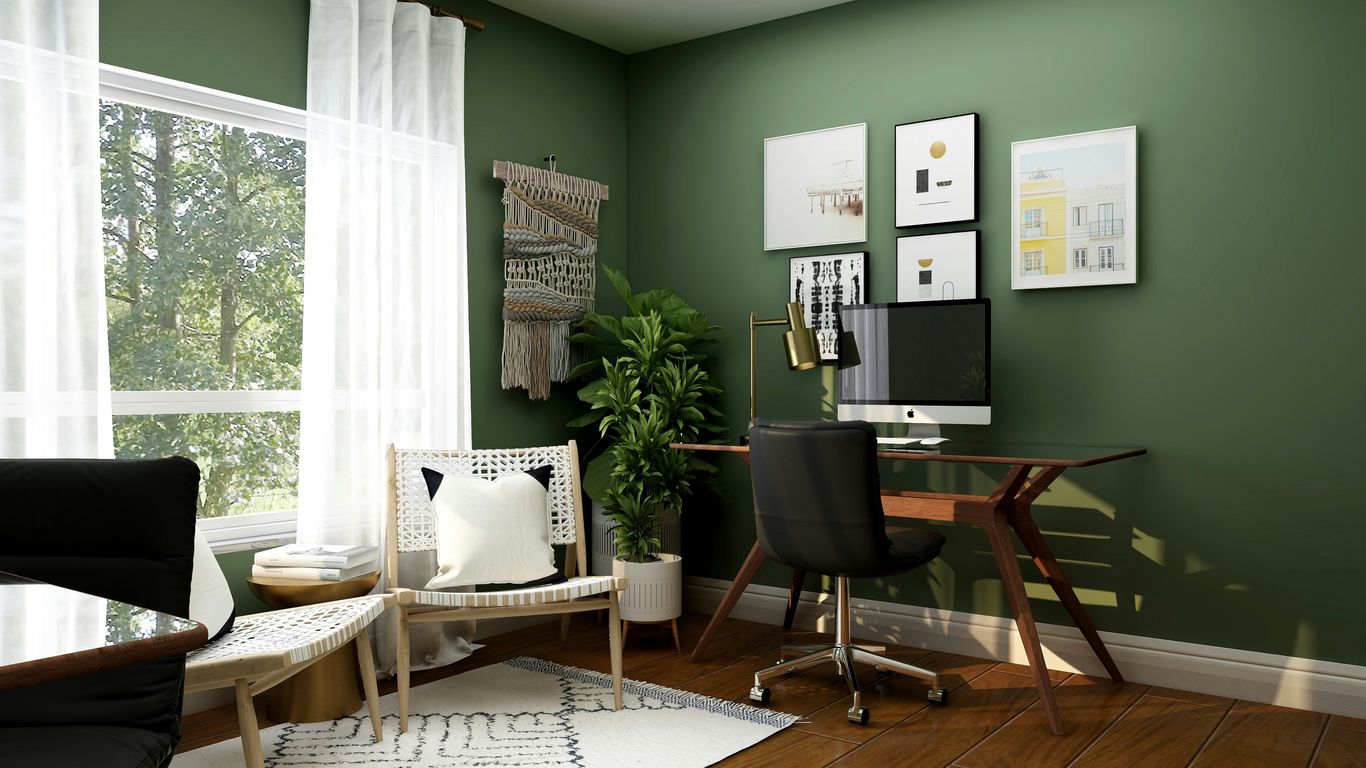
Lighting is more than just seeing what you’re doing; it really impacts how you feel and how much you get done. Think about it – working in a dim, gloomy room versus a bright, airy one. Big difference, right?
The best approach is to maximize natural light whenever possible. Big windows are great, but even a well-placed lamp can make a huge difference. If you’re dealing with glare from the sun at certain times of the day, simple blinds or curtains can help manage that. When natural light isn’t cutting it, or for those late-night work sessions, you’ll want some good artificial light sources. An adjustable desk lamp is a lifesaver because you can point it exactly where you need it, whether you’re reading documents or working on a detailed project. Screen bar lamps are also pretty neat; they sit on top of your monitor and light up your desk without causing annoying reflections on your screen. This can really help reduce eye strain. You can find some great options for monitor light bars that balance style and function.
Beyond just task lighting, think about the overall mood. Ambient lighting, like a soft lamp in the corner, can make the space feel more comfortable and less stark. Accent lighting can highlight artwork or plants, adding a personal touch. Color temperature matters too. Cooler, bluer light can feel more energizing, while warmer, yellower light is more relaxing. It’s a good idea to have options so you can adjust the lighting throughout the day based on your needs and what feels best.
Getting the lighting right is a simple yet powerful way to change your workspace. It’s not just about brightness; it’s about creating an environment that supports focus and well-being. Consider how different types of light affect your mood and energy levels. Sometimes, a simple change in bulb or adding a small lamp can make a surprising difference in how you feel about spending time in your office.
Here are a few ideas to consider:
- Task Lighting: An adjustable desk lamp or a monitor light bar to focus light where you work.
- Ambient Lighting: A floor lamp or table lamp to provide general illumination and create a cozy atmosphere.
- Accent Lighting: Small lights to highlight decorative items or architectural features.
- Smart Bulbs: Lights that allow you to change color temperature and brightness via an app, giving you lots of control.
Don’t forget about the power of color, too. Certain colors can influence your mood and productivity. Blues and greens are often associated with calmness and focus, while yellows and oranges can be more energizing. You might want to consider painting an accent wall or adding decor in colors that work for you. It’s all about making the space feel good to be in.
Personalizing Your Dream Home Office
Now that you’ve got the basics covered, it’s time to make this space truly yours. This is where creating a productive workspace at home really comes alive. Think about what makes you feel good and what helps you focus. It’s not just about having a desk and a chair; it’s about designing your ideal remote work station that reflects your personality and work style.
Start by adding elements that inspire you. This could be artwork, framed photos of loved ones, or even plants that bring a bit of nature indoors. Consider your color palette too. Some people find bright colors energizing, while others prefer calming neutrals. Whatever you choose, make sure it feels right for you.
Here are a few ideas to get you started:
- Inspirational Decor: Hang up art that speaks to you, display travel souvenirs, or use a bulletin board for reminders and photos.
- Personal Touches: Include items that bring you joy, like a favorite mug or a small desk toy.
- Sensory Elements: Think about scent (a subtle diffuser, perhaps?) or sound (a good speaker for background music).
Don’t be afraid to mix and match styles. Your home office doesn’t have to look like a generic corporate space. It should feel like an extension of your home and your personal taste. Adding a few luxurious touches can make a big difference in how you feel about spending time there.
Consider how you use the space throughout the day. Do you need a spot for quick breaks? Maybe a comfortable armchair in a corner could work. Or perhaps you need easy access to reference materials, which means strategically placed shelves are key. Thinking about these little details can really help in designing your ideal remote work station.
Remember, the goal is to create a space where you want to be. A place that supports your work and makes you feel good. It’s all about finding that sweet spot between functionality and personal expression. Getting this right is a big step towards creating a productive workspace at home.
Ready to make your home office amazing? Think about what makes you feel good and productive. Maybe it’s a comfy chair, a desk that fits just right, or cool decorations. Making your space your own is key! Visit our website to see how you can create the perfect workspace that feels like you.
Conclusion
Setting up your dream home office is all about making a space that works for you. Think about where you’ll work best, what furniture you need to be comfy and organized, and how to make it feel like your own. It doesn’t have to be fancy, but it should be a place where you can get things done and feel good doing them. So, take these ideas and start building your perfect work spot. Happy creating!
Frequently Asked Questions
What’s the best room for a home office?
Ideally, a separate room is best for fewer distractions. But if that’s not possible, a quiet corner in a living room or bedroom can work. Just try to find a spot with good light and not too much foot traffic.
How important is a good chair?
Super important! You’ll be sitting a lot, so a chair that supports your back and is comfy makes a huge difference. Look for one that lets you adjust the height and has good padding.
Do I need a fancy desk?
Not at all. The most important thing is that your desk has enough space for your computer and anything else you need, and that it’s at a good height for you. Whether it’s big or small, simple or fancy, just make sure it works for your tasks.
How can I organize my home office without spending a lot?
You can use things you already have! Jars for pens, old boxes for papers, or even books as risers for your monitor can help. Wall shelves are also great for keeping things off your desk. Just get creative with storage!
What about internet speed?
You need internet that’s fast enough for what you do. If you have video calls or download big files, a speedy connection is a must. Check your plan and maybe consider a Wi-Fi extender if you have dead spots.
How much natural light do I need?
As much as possible! Natural light is great for your mood and can help you focus. Try to set up your desk near a window if you can. If not, good artificial lighting is key.
Can I use a multi-purpose room for my office?
Yes, you can! Many people set up offices in guest rooms, living areas, or even closets. The trick is to make it easy to put away work stuff when you’re done for the day so the space can be used for other things.
How do I make my office feel more ‘me’?
Add things you love! This could be photos of family or pets, plants, artwork, or even just your favorite color on the walls. Making the space personal helps you feel more comfortable and inspired.
One Response